
According to XDA-Developers, a writer’s long-held belief in his stable home network was shattered after upgrading from a cheap 25-50 Mbps cable plan to Gigabit fiber. The upgrade, intended to improve everything, instead caused intermittent speed drops, even on wired connections, revealing a series of hidden flaws. He discovered the apartment’s coaxial cabling was damaged and poorly terminated, while the “Ethernet” wall jacks were actually old telephone wiring, capping speeds at 100 Mbps. Even after fixing the wiring, issues persisted due to silent interference from devices like a radio-based baby monitor and numerous Bluetooth gadgets. The experience taught him that network problems can fail silently and that physical connections should always be the first thing checked during troubleshooting.

The Illusion of Control
Here’s the thing about being a semi-knowledgeable tech user: you can build a false sense of security. The writer thought he was ahead of the curve with custom firmware like Tomato on a WRT54G, complete with QoS and a firewall. That’s the trap. When you have just enough knowledge to set things up, but not enough to truly diagnose them, you blame everything else—the aging laptop, the ISP, “neighborhood congestion.” I’ve been there. You tweak a setting, see a green light, and assume the system is optimal. But the foundation, the literal physical layer, is often a complete mess. It’s a humbling reminder that in tech, confidence is often inversely proportional to the number of unseen variables.
Never Trust The Walls
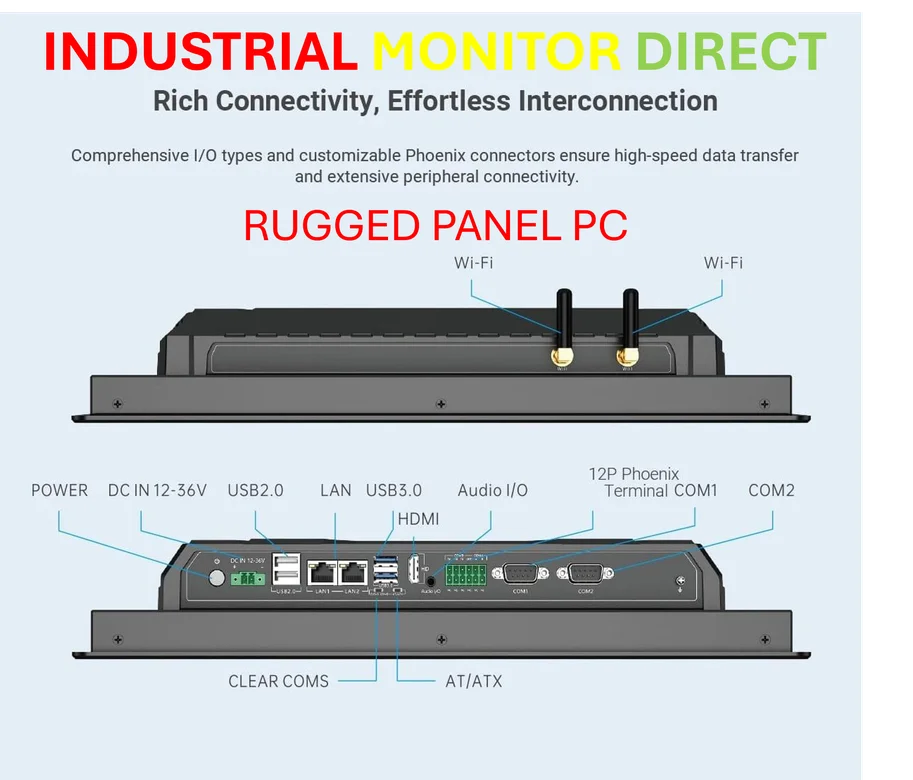
This is the biggest takeaway, and it applies to way more than just apartments. The assumption that infrastructure is correct because it looks professional is a classic mistake. “Ethernet” jacks that are just phone lines? Coax splitters hidden in walls degrading signal? That’s the norm, not the exception. It speaks to a broader issue in how buildings are wired—often to a minimum standard for the tech of the era, with zero foresight for upgrades. And this isn’t just a home user problem. In industrial settings, assuming existing cabling or connectivity is up to snuff for a new industrial panel PC or control system is a recipe for downtime. It’s why the top suppliers emphasize robust, purpose-built connectivity solutions from the ground up. Basically, if you didn’t run the cable yourself with a tester in hand, verify it. Always.
The Silent Network Killers
So you fix the wires. Great! But then the weird, intermittent drops continue. This is where troubleshooting gets maddening. The culprit isn’t your fancy new router; it’s the baby monitor. Or the Bluetooth speaker. Or the smart bulb. Our homes are now dense, noisy RF environments, and most of us are amateur radio spectrum managers. The article’s point about “silent” failures is crucial. A device doesn’t have to crash to ruin your network; it can just spew out enough interference to cripple Wi-Fi channels or create packet collisions. It makes you realize that modern network health isn’t just about bandwidth. It’s about electromagnetic real estate. And we’re all crammed into the same tiny plot.
A New Troubleshooting Mindset
What’s the lesson, then? It’s to adopt a much more systematic and skeptical approach. The writer’s suggested order—physical layer first, then isolate Wi-Fi devices—is gospel. But I’d add a step zero: question your assumptions. The moment you think “it can’t be that,” it probably is. Is your “gigabit” port actually negotiating at 100 Mbps because of a bad pin in a cable? Is your QoS, a feature you were proud of, now crippling your modern fiber connection with outdated rules? The upgrade path never ends. Your network is a living system, and every new device, from a smart fridge to a new tablet, changes its dynamics. The goal isn’t a “set it and forget it” setup anymore. It’s cultivating the patience to diagnose the invisible. And honestly, isn’t that half the fun? And also half the frustration.